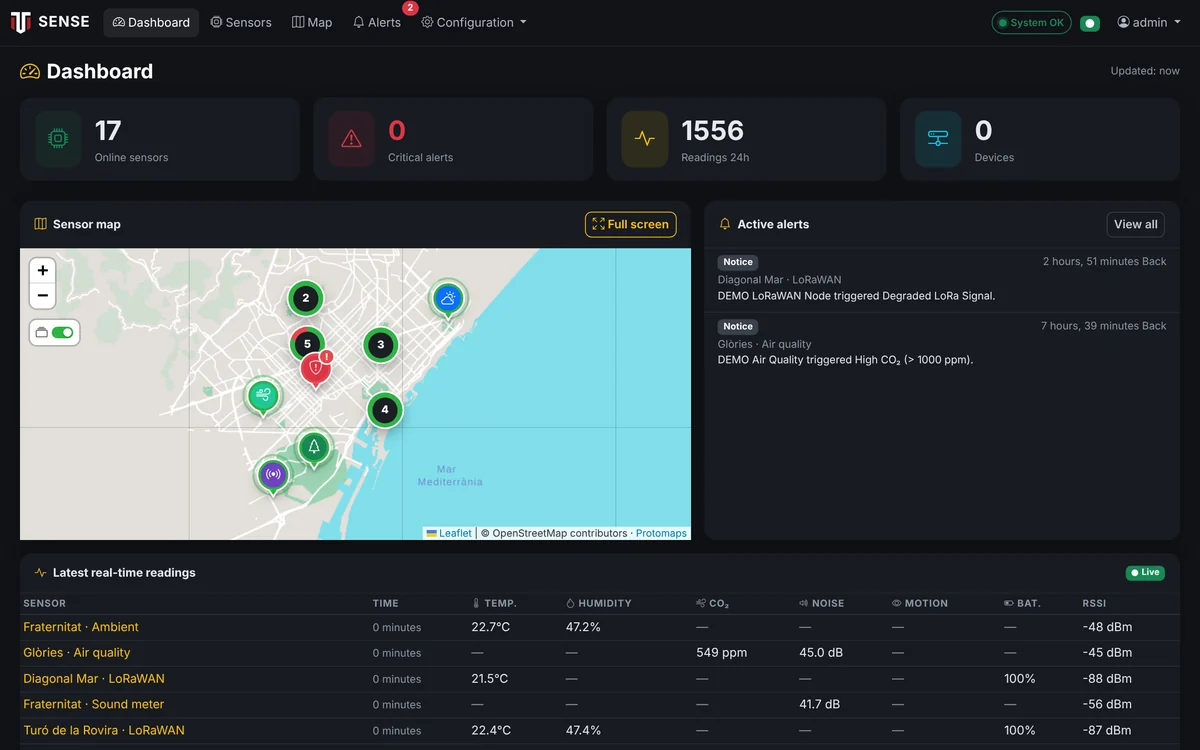
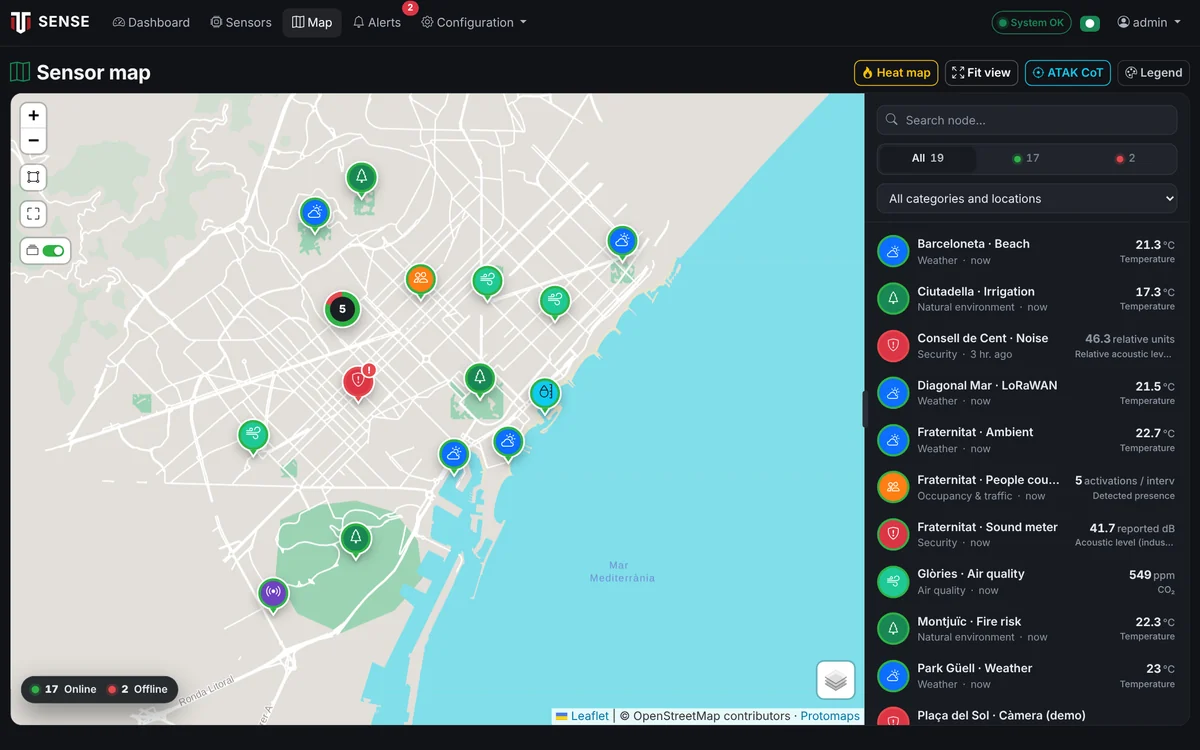
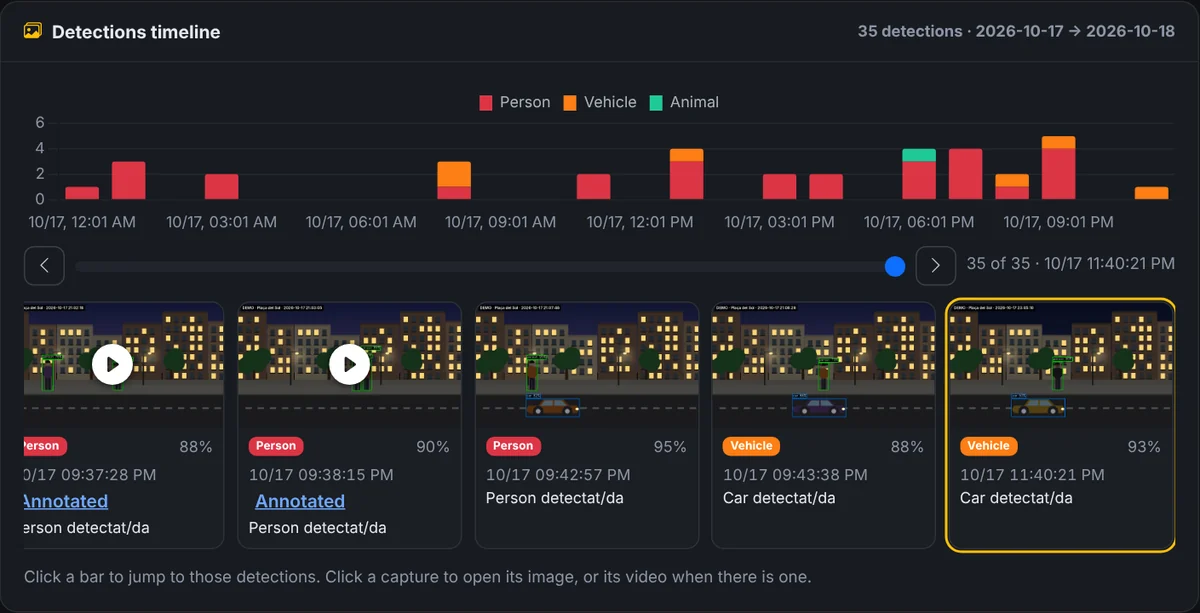
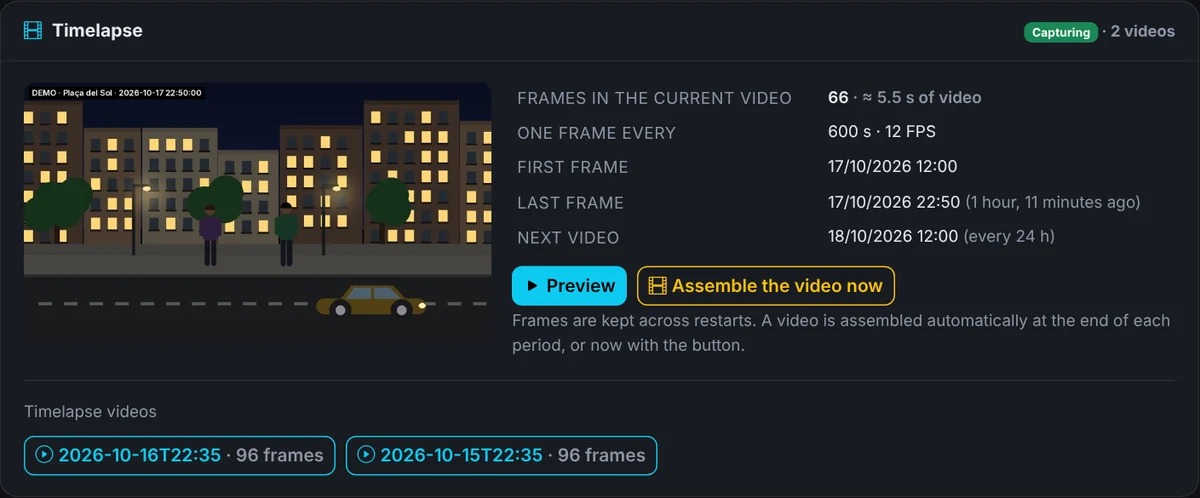
These screenshots are from a running sense-core, with demo data and illustrated scenes so no real camera footage is shown. This is what the platform looks like day to day.
sense-core screenshots
Dashboard — System status, map, active alerts and the latest real-time readings.
Sensor map — Every node on the map, with status, category and search; embeddable in your website.
People and object detection — Computer vision on the camera: people, vehicles and animals, with annotated video and a timeline.
Timelapse — A frame every few minutes becomes a day-long video, assembled automatically.
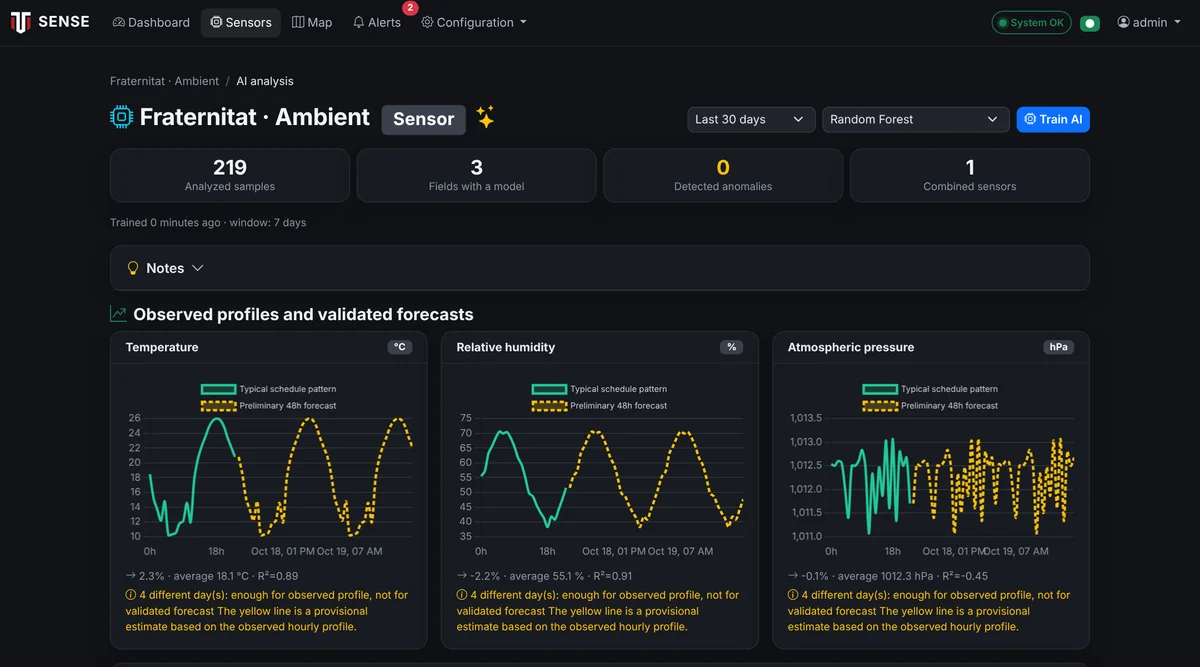
AI models — Observed profiles, 48-hour forecasting and per-variable anomaly detection, 100% on-site.
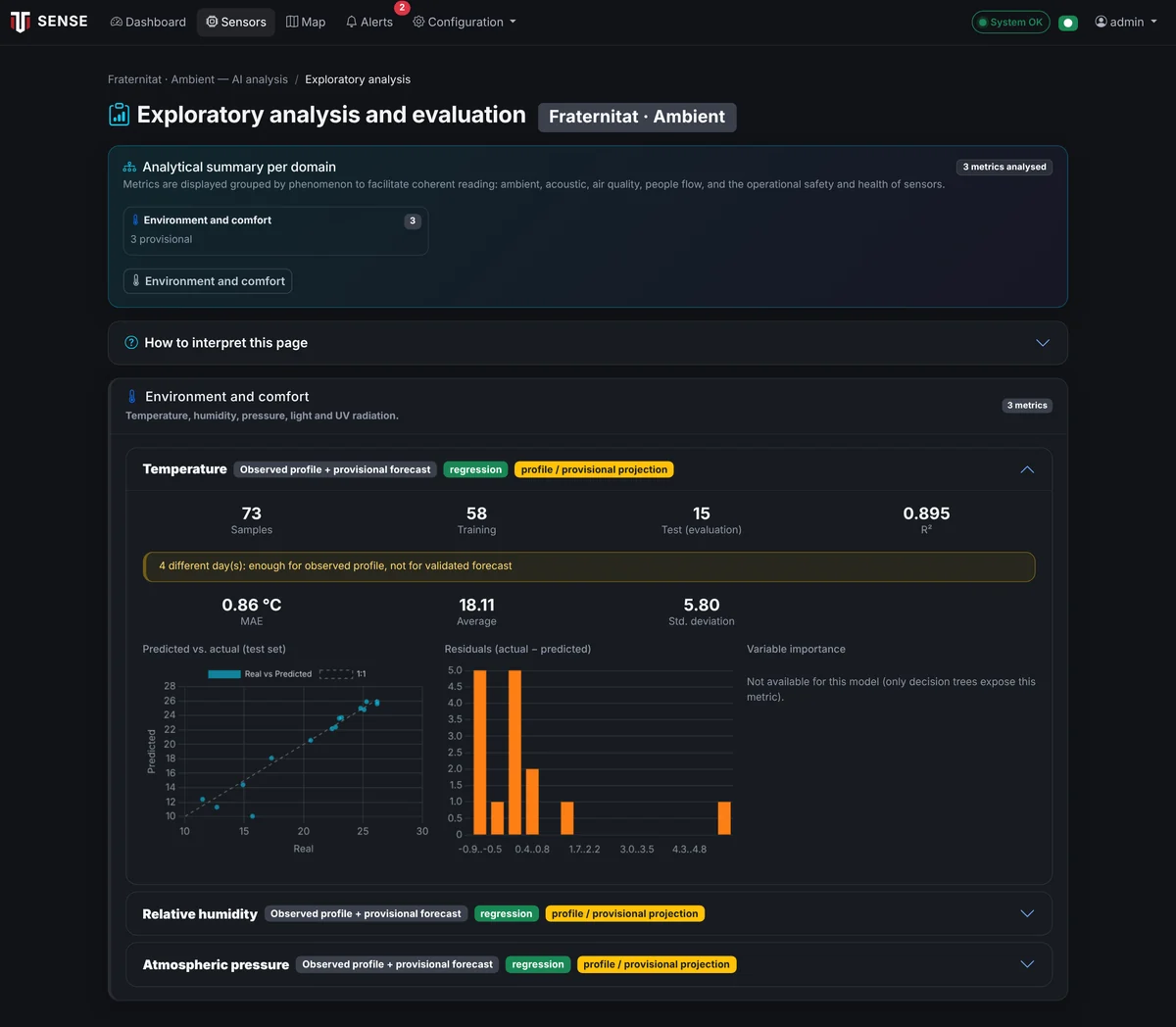
Exploratory analysis — Per-variable model evaluation: observed profiles, R², error and residuals.
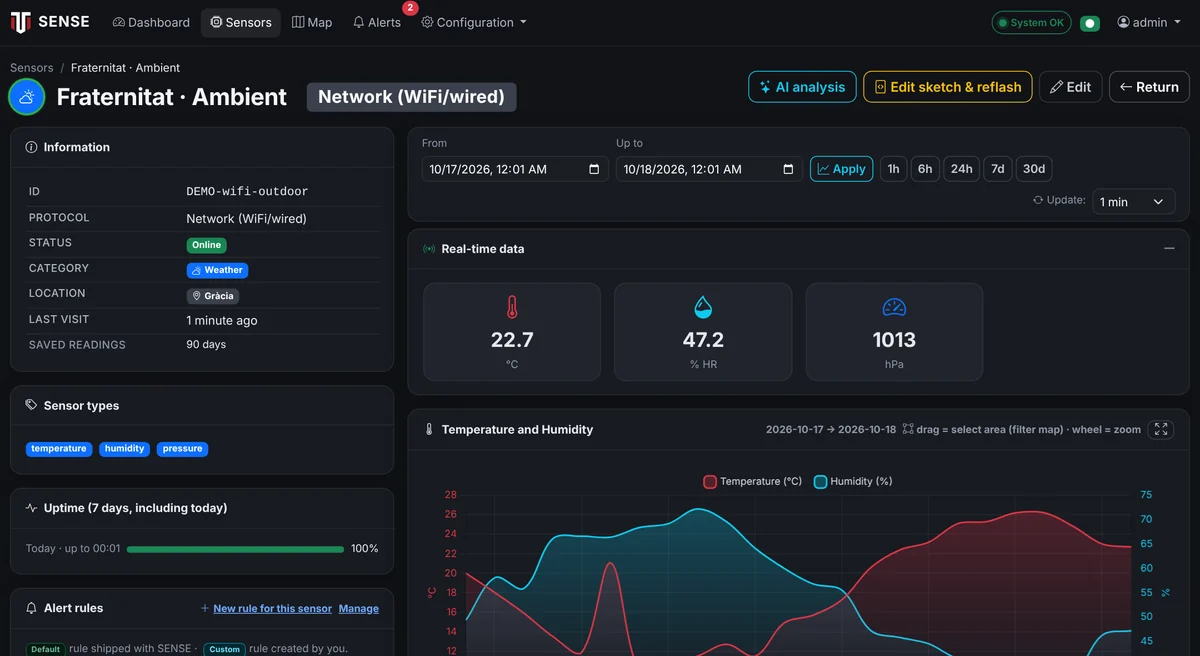
Sensor detail — Real-time data, historical charts and the alert rules for each ambient node.
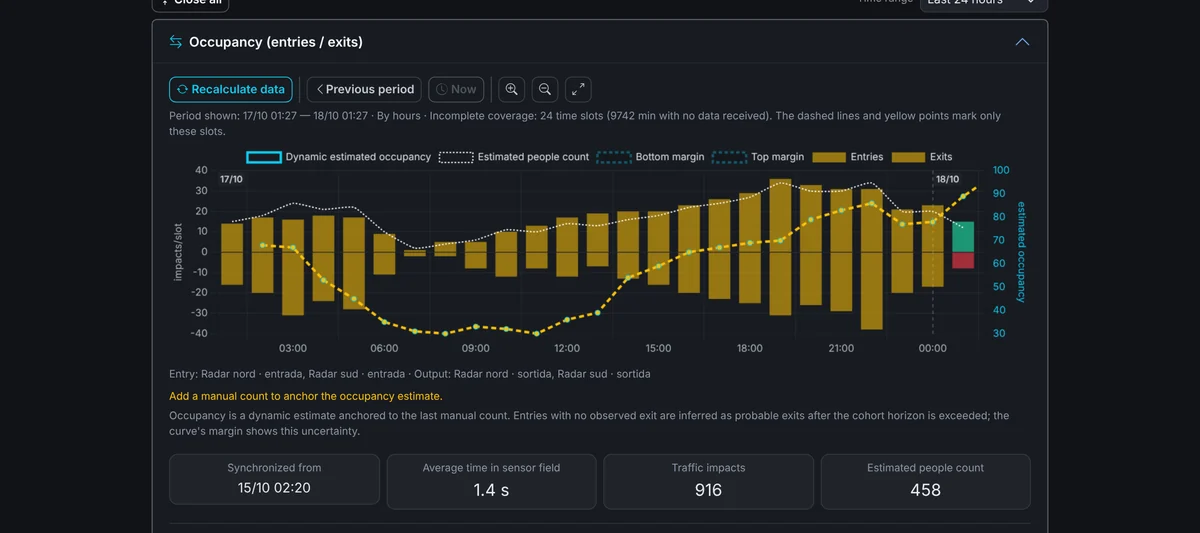
Occupancy by location — Entries, exits and estimated occupancy of a street or venue, with radar and no cameras.
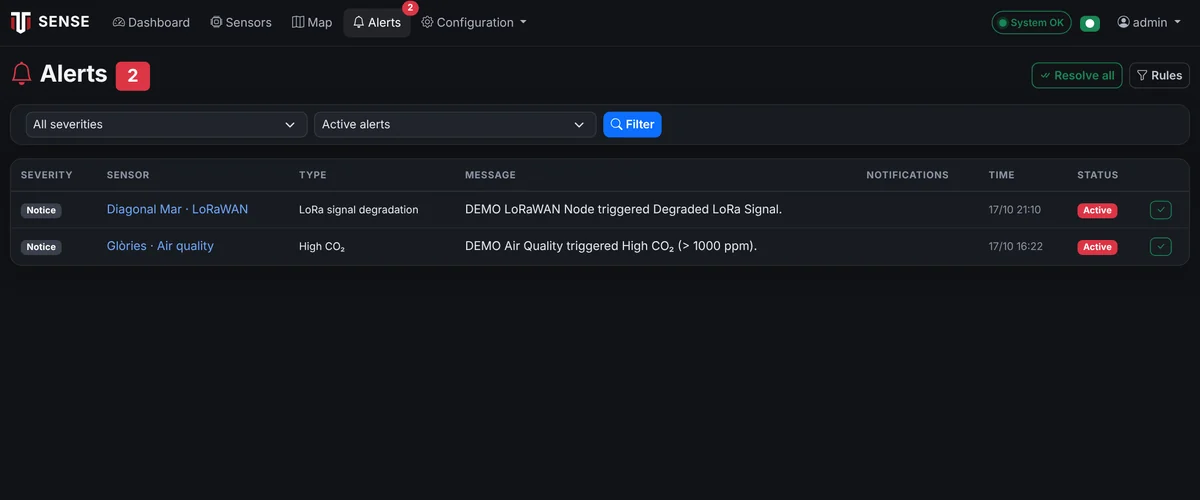
Alerts — Threshold alerts with severity, status and channels; resolved or filtered in one click.
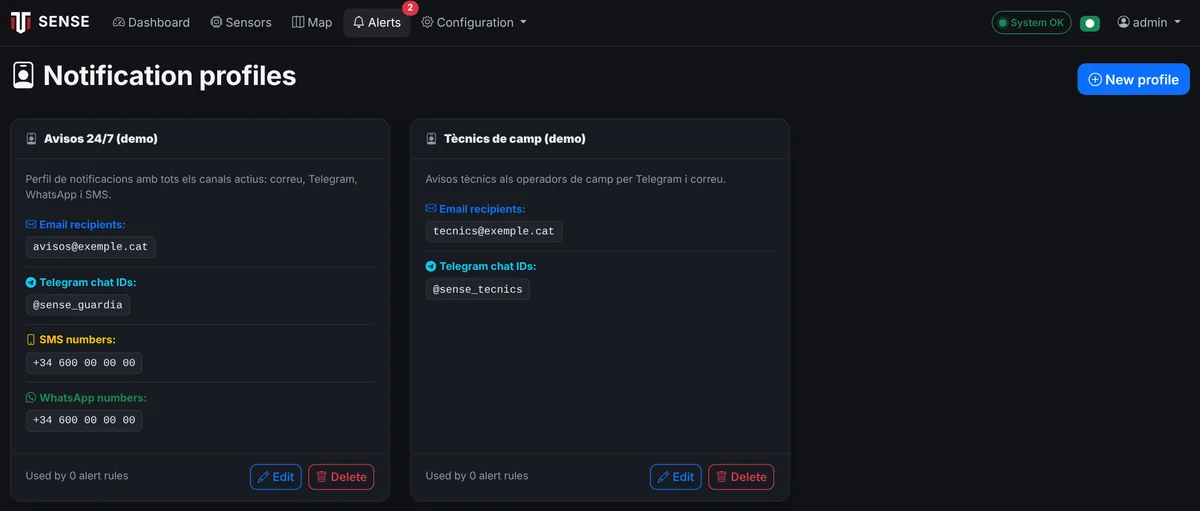
Notification profiles — Who gets each alert and how: email, Telegram, WhatsApp and SMS, with per-team profiles.
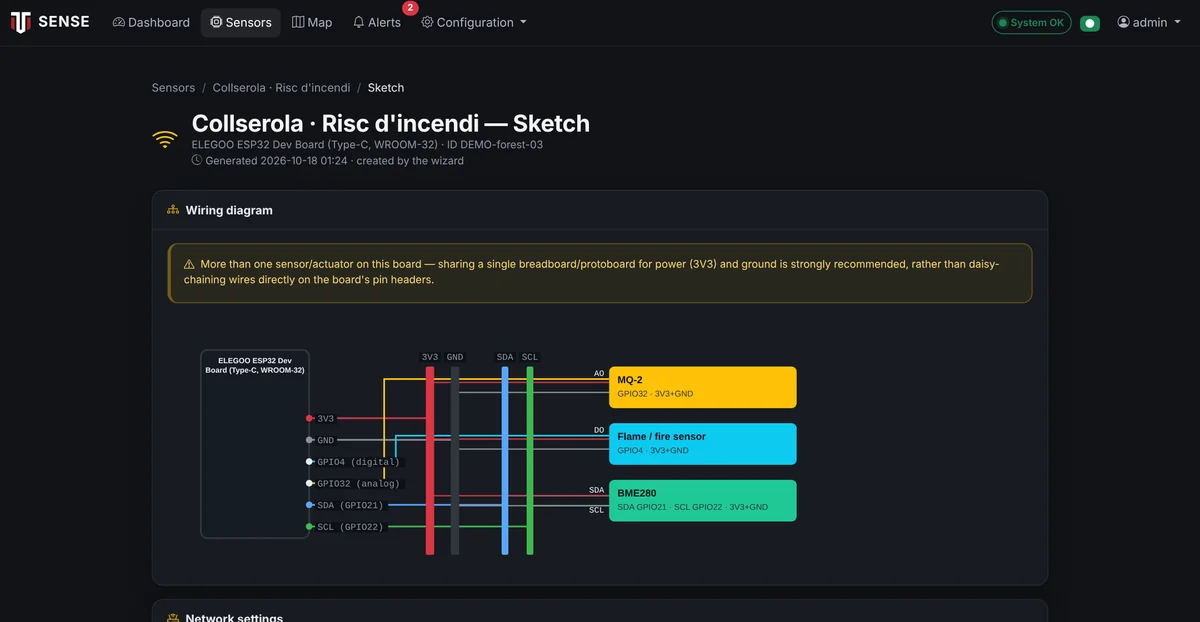
Wiring diagram — The wizard generates the node's wiring diagram with its sensors, ready to build.
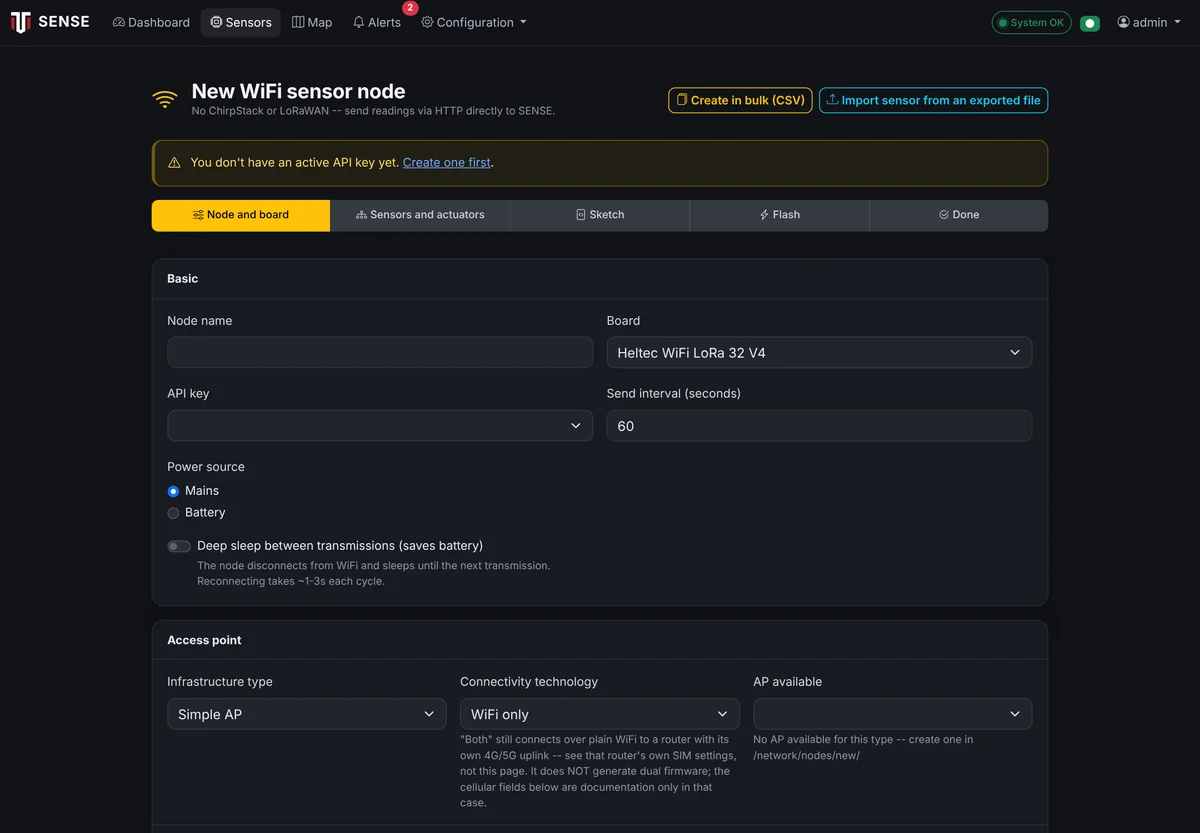
Node wizard — Compose a node in the browser: board, sensors, firmware and wiring diagram.
Tell us what you need to measure
We reply within one or two working days. If you like, we will prepare a demo with real data or a pilot proposal.